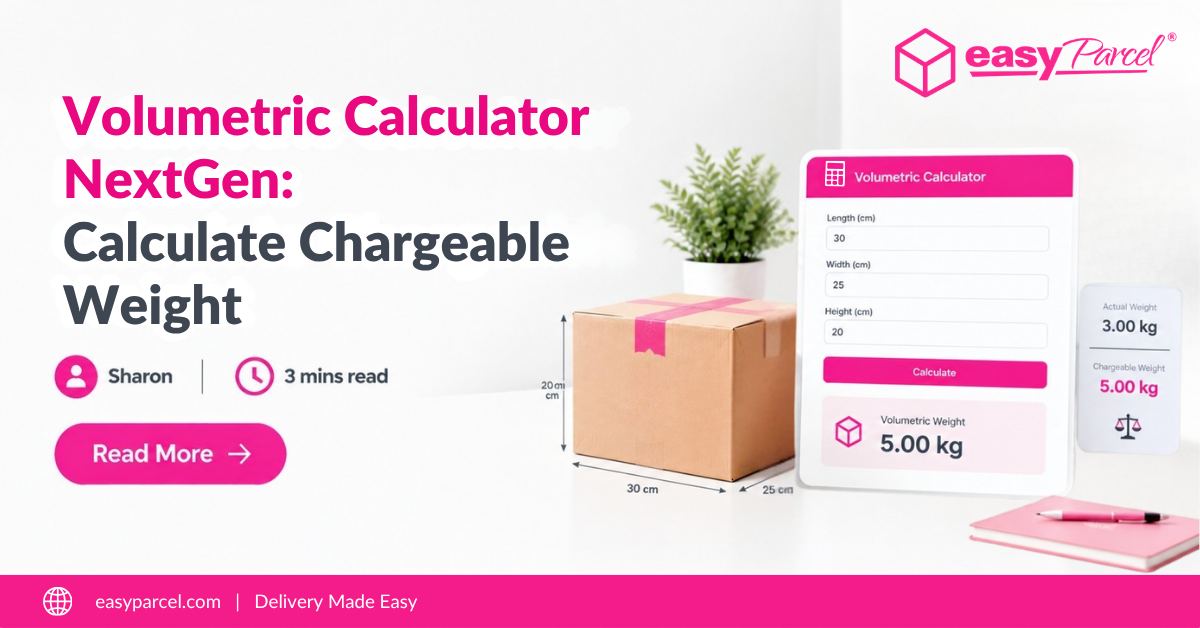
Shipping costs can often be unpredictable and time-consuming to estimate, especially when you need to compare multiple courier services. EasyParcel’s Courier Rate Calculator simplifies this process by providing instant, accurate rate comparisons from over 60 courier services all in one place. Whether you ship domestically or internationally, this tool helps you save time, reduce shipping costs, and manage your deliveries more efficiently.
Introduction to EasyParcel's Courier Rate Calculator Tool
Courier Rate Calculator is an online tool designed to help businesses and individuals quickly estimate shipping costs based on parcel details like origin, destination, weight, and size. Instead of visiting multiple courier websites, you enter all necessary information once, and EasyParcel instantly displays a comparison of rates and services available from a wide network of courier partners. This transparency empowers users to pick the best courier option based on price, service speed, and delivery reliability.
How To Use Courier Rate Calculator With Simple Steps
1. Start Booking Your Shipment
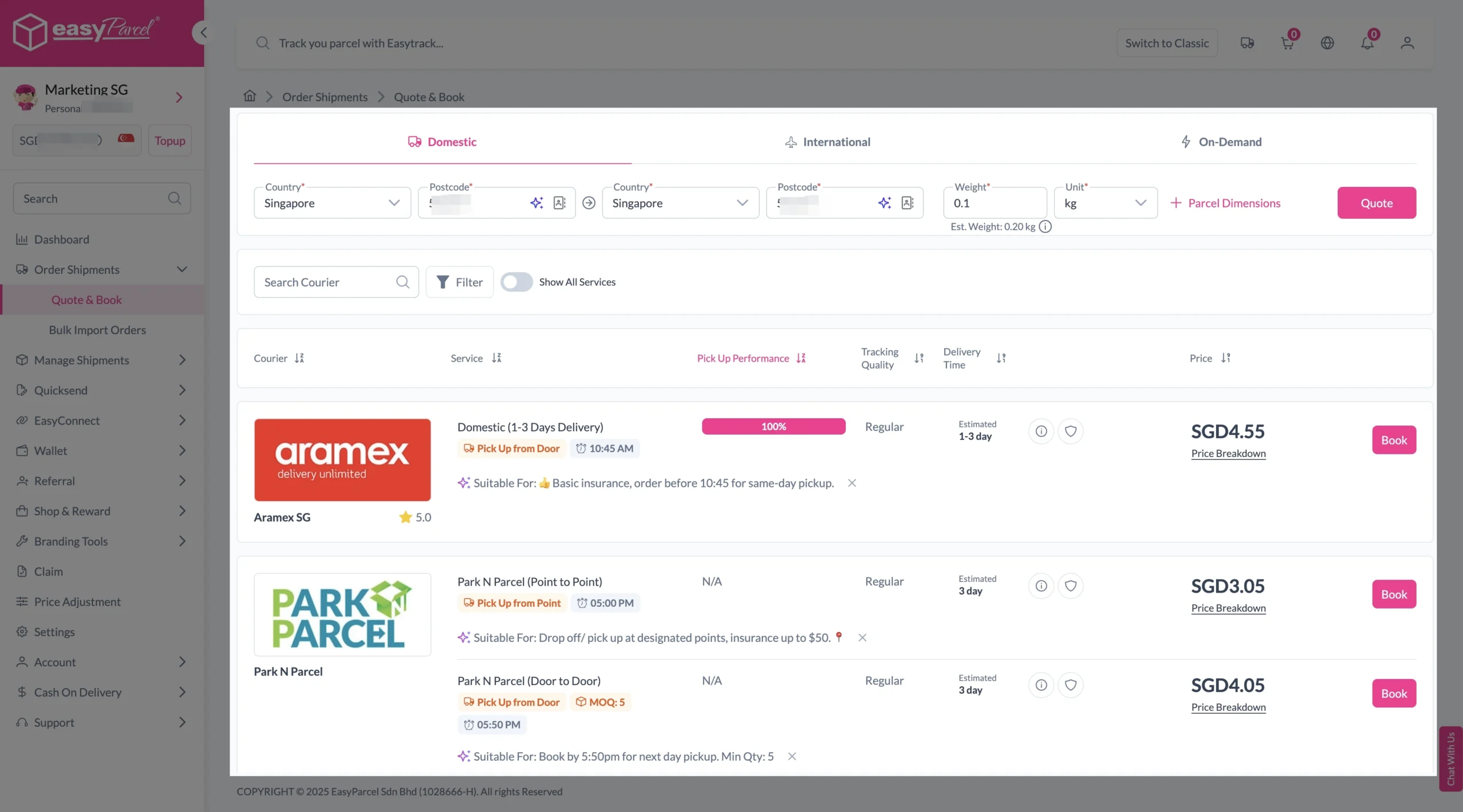
Enter the origin and destination postcodes along with the parcel weight, then click ‘Quote & Book‘ to get a rate comparison table featuring a variety of courier services.
2. Choose Your Courier
Compare the rates of different courier services and click ‘Book Now‘ on your preferred option.
3. Enter Sender and Receiver Information
Fill in the sender and receiver details, as well as parcel information and add-on services such as Tracking Email, Tracking SMS, Tracking WhatsApp, or EasyCover.
Sender and Receiver Details:
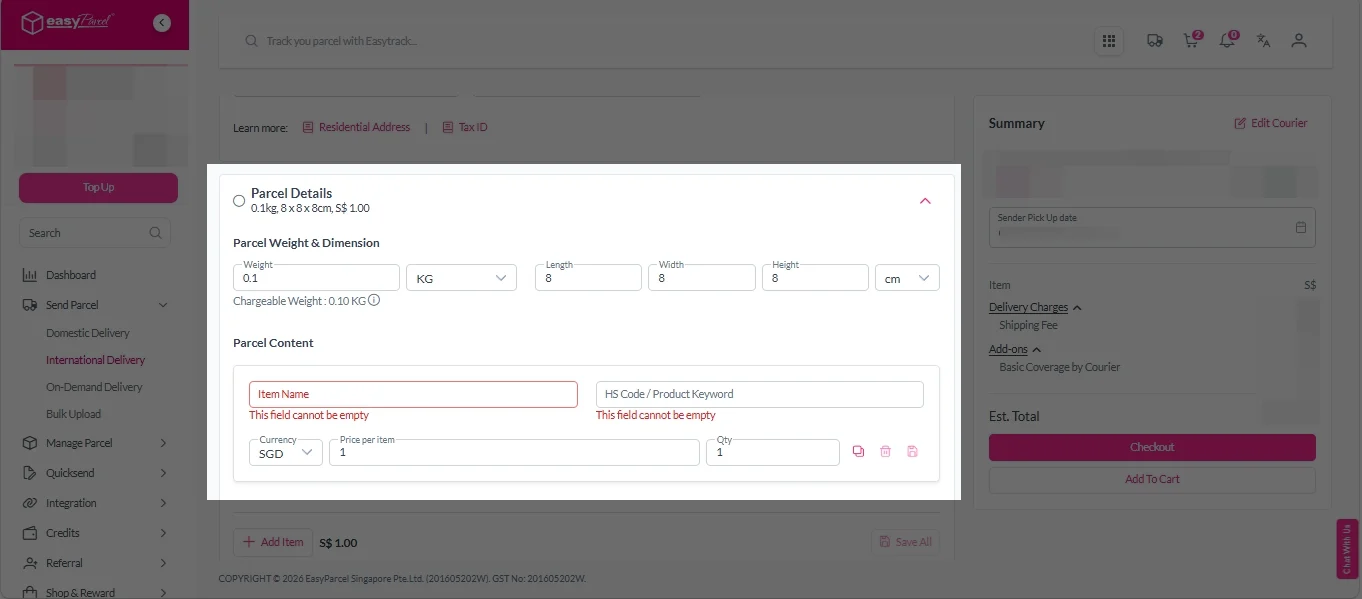
Parcel Details:
Enter the actual weight, dimension and content of your parcel.
Parcel Content:
Fill in your item name. Then, choose your item category from the dropdown menu. The HS code will be auto generated based on your selection.
Note: Learn more about Smart HS Code.
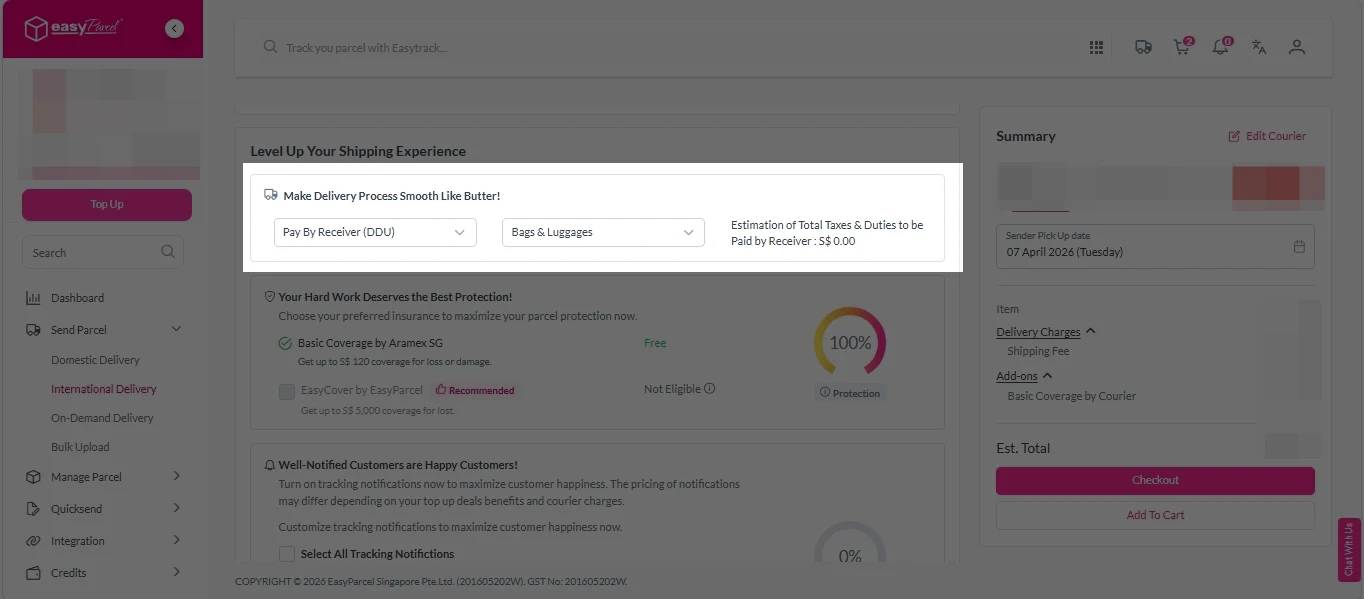
Add-On Services:
i. Select your preferred duties payment option – Delivered Duty Paid (DDP) or Delivered Duty Unpaid (DDU).
Note: Learn more about DDP and DDU.
ii. Tick the box to add EasyCover for additional protection against loss.
Note: EasyCover availability depends on the courier selected. Learn more about EasyCover.
iii. Choose your preferred notification channel – SMS, Email, or WhatsApp. Click “Preview” to see how it looks, and click “Customise” to add brand message to the notification.
Note: Learn more about Customise Branding Servcies.
4. Checkout and Make Payment
After completing the details, click ‘Checkout Now‘ to proceed to the payment steps. You can pay by credit/debit card, e-Wallet, or EasyParcel credit (after top-up). Choose your preferred payment method and click ‘Pay Now‘.
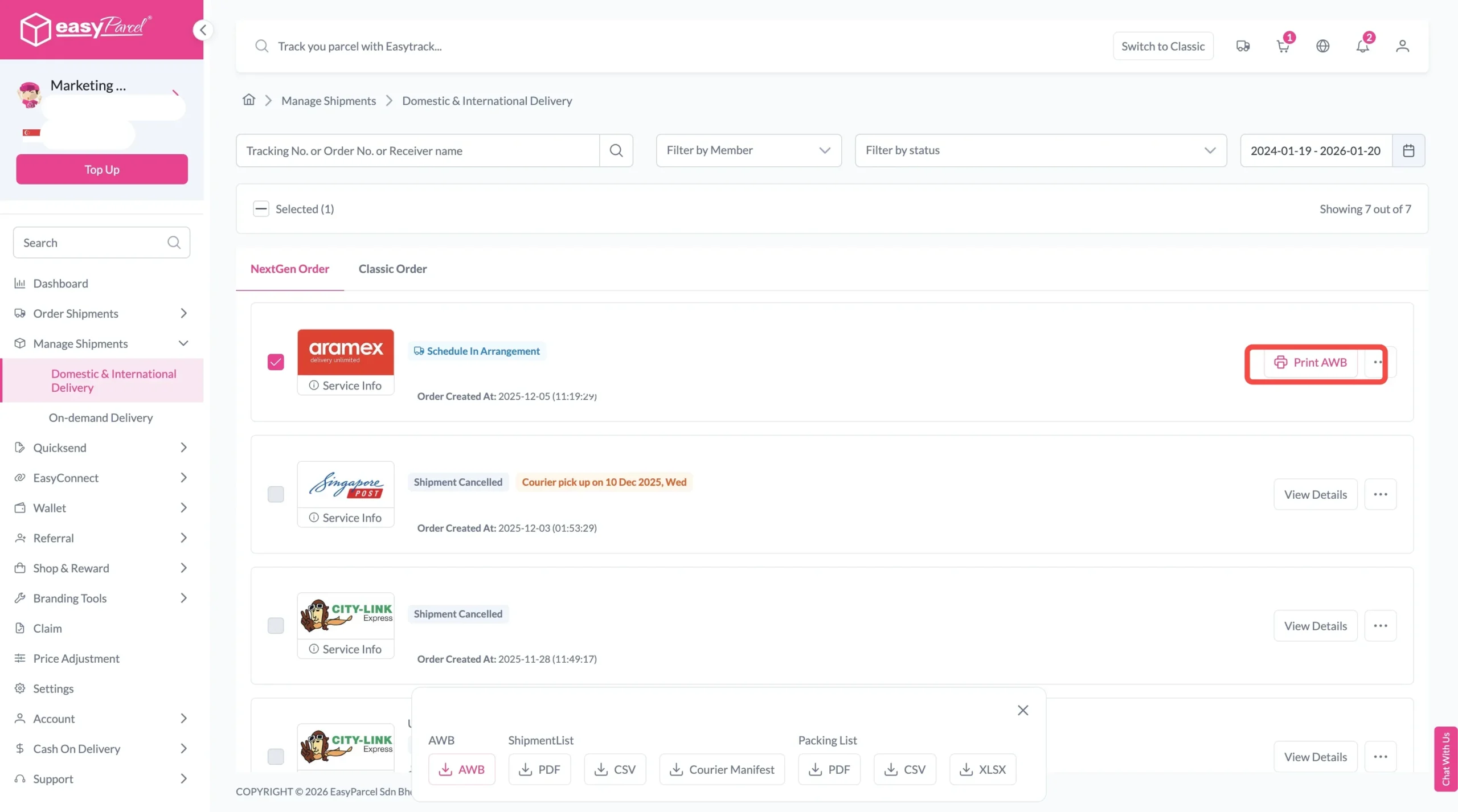
5. Download and Print Air Waybill (AWB)
Your shipment has been booked successfully.
To download and print AWB, you can go to “Manage Shipments”.
Final Thought
Courier Rate Calculator is a comprehensive and user-friendly tool that empowers businesses of all sizes to manage their shipping process with confidence and ease. By enabling instant rate comparisons, seamless booking, bulk shipping support, and transparent pricing locked in at booking, EasyParcel helps you save time, reduce costs, and avoid surprises along the way. Whether you’re shipping a single parcel or hundreds, this all-in-one platform simplifies your logistics workflow, making it the ideal choice for SMEs and large sellers alike. Experience streamlined shipping operations and better control of your deliveries by integrating EasyParcel into your business today.
Give it a try today and discover how easy calculating your shipping costs can be.
Frequently Asked Questions
Quote & Book with EasyParcel APP
Download the EasyParcel App to track courier parcels anytime, anywhere.
Related Blogs